
1 — Getting Started
The first‑run experience: from the welcome screen to a verified account.
1.1 Welcome screen

The first screen a new visitor sees. It introduces the product ("Where golfers come together.") with three value props:
- Join or create a community — find your people, or start your own
- Play events & track scores — register, score hole‑by‑hole, watch the leaderboard
- Compete across seasons — standings, handicaps, and bragging rights
Two actions:
- Create Account — for new users (this guide's path)
- Log in — for returning users
1.2 Create your account
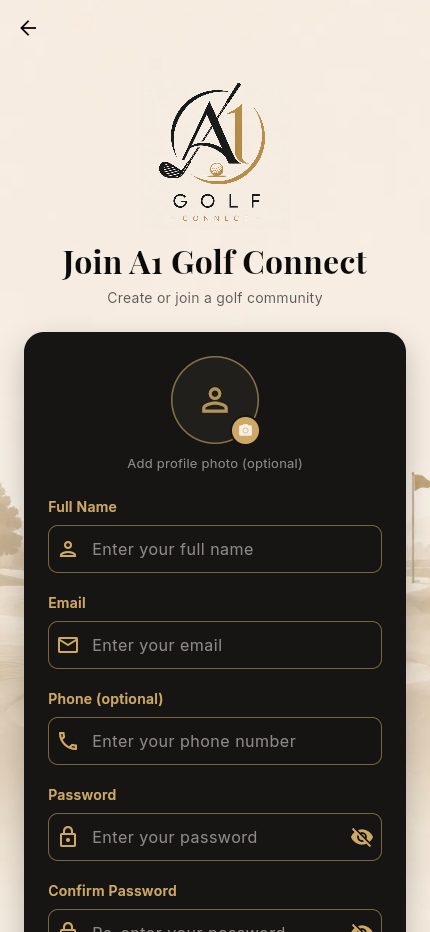
Tapping Create Account opens the registration form. Fields:
| Field | Required | Notes |
|---|---|---|
| Profile photo | Optional | Tap the avatar to add a picture |
| Full Name | Yes | |
| Yes | Becomes your login + where the verification code is sent | |
| Phone | Optional | |
| Password | Yes | Hidden by default; tap the eye icon to reveal |
| Confirm Password | Yes | Must match |
You must agree to the Terms of Service and Privacy Policy (linked below the fields). A note reminds you: "We'll email a 4‑digit code to confirm it's you."
Here is the form filled in for our new golfer:
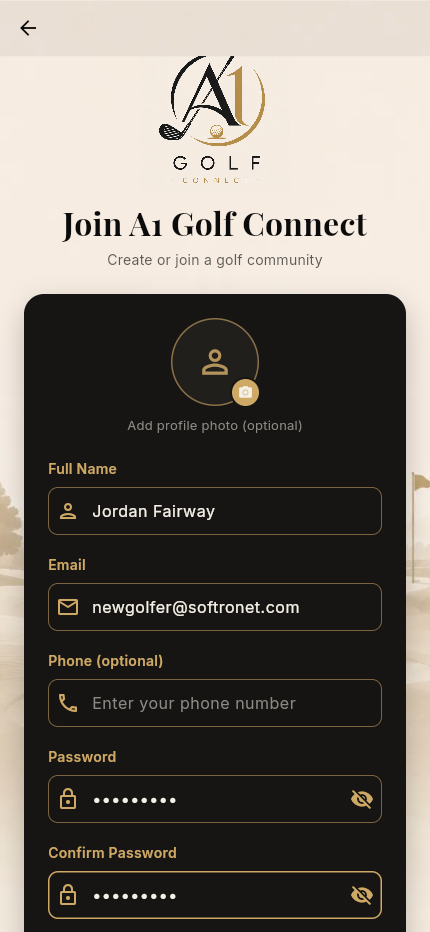
Tap Create Account to submit.
1.3 Verify your email
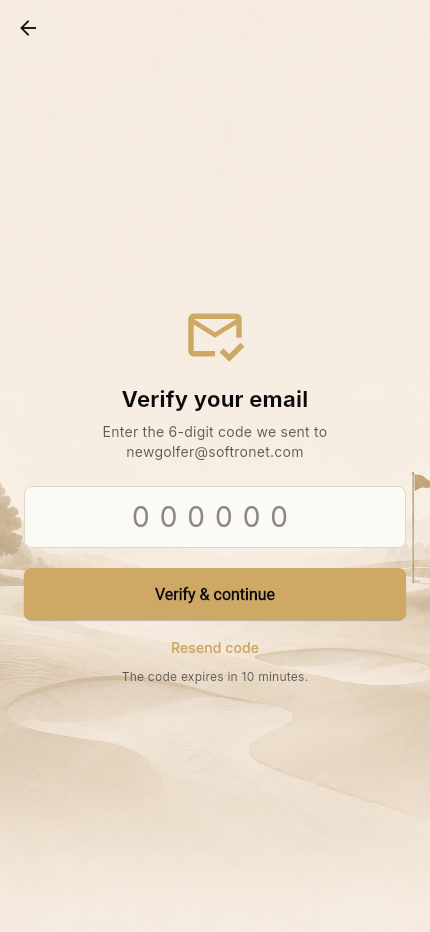
A 4‑digit code is emailed to the address you registered. Enter it and tap Verify & continue. The code expires in 15 minutes; use Resend code if needed.
Security note: the verification code is sent only by email (or, in local dev with no email provider, written to the server console) — it is never returned in an API response. This closed an earlier account‑takeover hole.
Once verified, you land on the main dashboard.
1.4 Logging back in
Returning users tap Log in on the welcome screen and enter email + password. Sessions are server‑side and revocable (a 30‑day sliding window), so you stay signed in between visits and can be signed out everywhere if needed.
→ Next: Navigation & Profile