
5 — Events & Scoring
The heart of the product: registering for events, paying, scoring rounds, and climbing the standings.
5.1 Browsing events
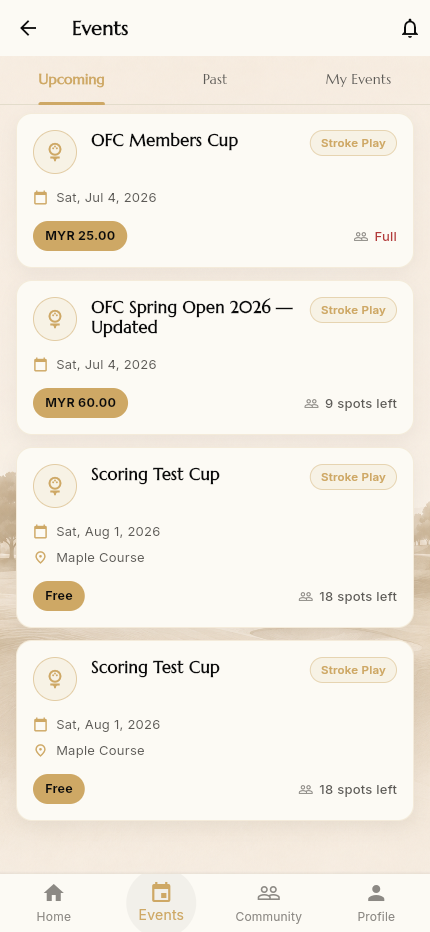
The Events tab lists the community's events under three sub‑tabs:
- Upcoming — events you can still register for
- Past — completed events (with results)
- My Events — events you've registered for
Each event card shows the name, format (e.g. Stroke Play), date, optional location, entry fee (or Free), and capacity (9 spots left / Full).
5.2 Event details
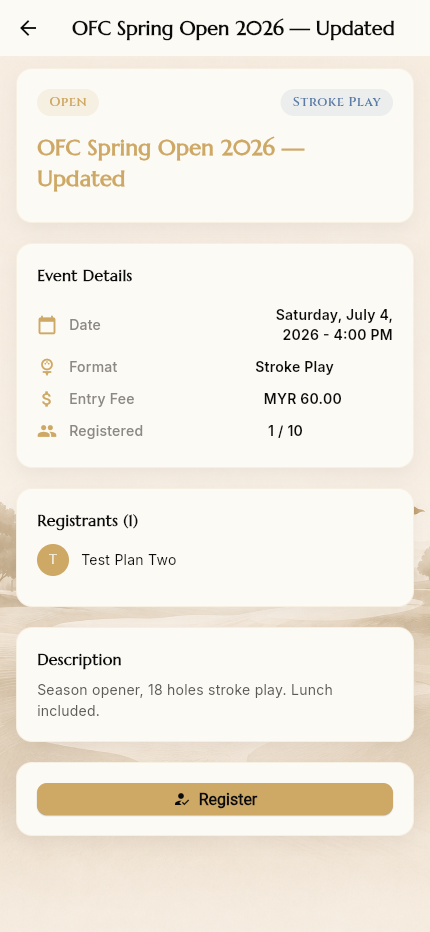
Tapping an event opens its detail page:
- Status badge (Open) and format (Stroke Play)
- Event Details: Date & time, Format, Entry Fee, Registered count (e.g. 1 / 10)
- Registrants list (who's already in)
- Description
- A Register button
5.3 Registering
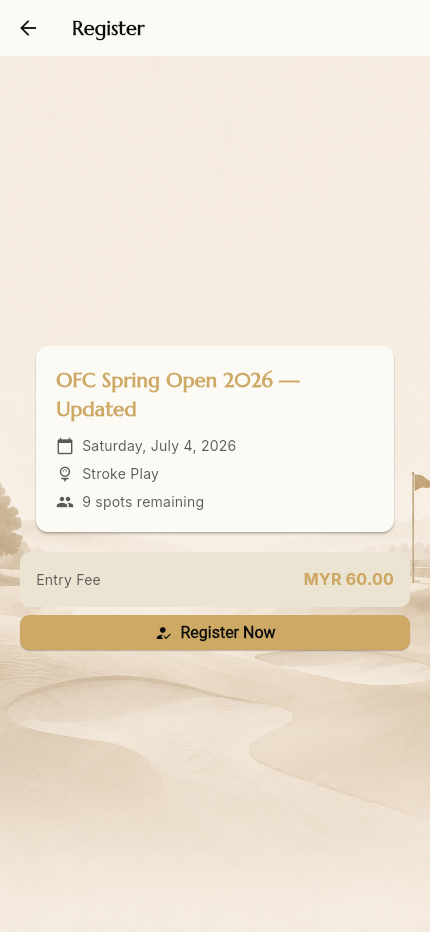
Register opens a confirmation screen summarising the event, spots remaining, and the Entry Fee. Tap Register Now to confirm your spot.
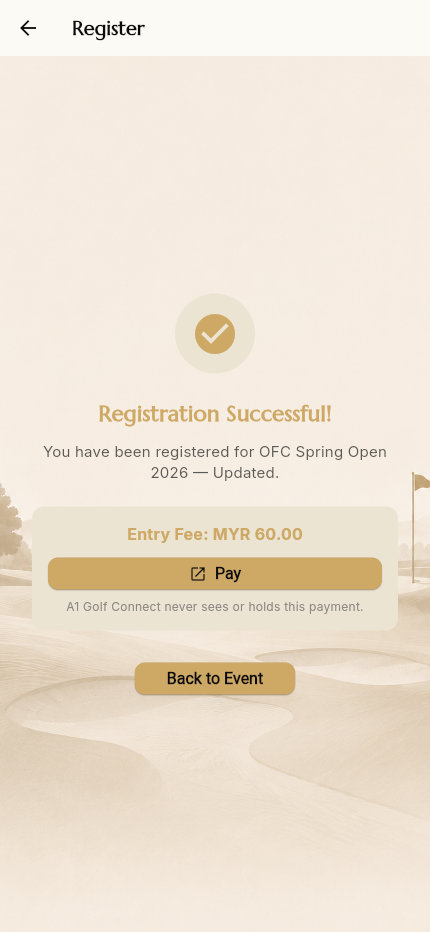
You're registered immediately. For paid events you then see:
- Registration Successful!
- The entry fee, and a Pay button that opens the community's external payment link (Stripe, Golf Genius, etc.)
- The reassurance: "Golf Connector never sees or holds this payment."
How payment works: the platform never routes funds. You pay on the community's own provider via the link, and an admin marks you paid.
5.4 After you're registered
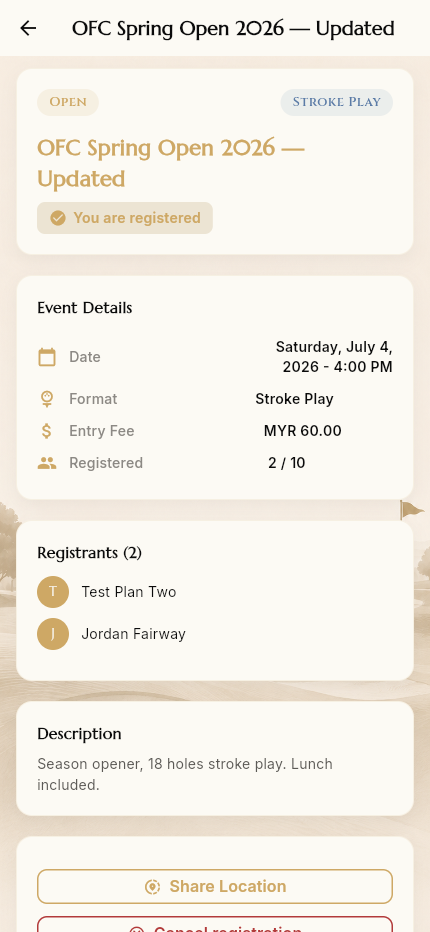
Back on the event, the page now shows "You are registered", your name in the registrants list, and two new actions:
- Share Location — join the event's live‑location group so registered
players can see each other on the course (handy for finding your group / the organiser on event day)
- Cancel registration — withdraw from the event
5.5 Scoring & the leaderboard
On event day, players enter scores hole‑by‑hole; a live leaderboard compiles results from submitted scores. (Admins open scoring for an event from Manage Events → Open Scoring — see 6 — Admin.)
5.6 Season Standings
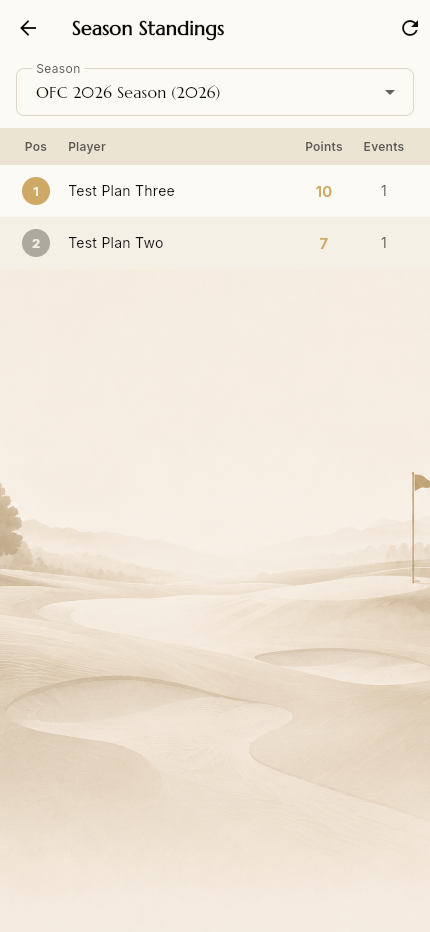
The Scores quick action opens Season Standings — the season‑long competition table:
- A season selector (e.g. OFC 2026 Season)
- Ranked rows: Pos · Player · Points · Events
Points accumulate across the season's events, so members can track who's leading overall — not just per‑event results.
→ Next: Creating & Running a Community